In my previous articles, I demonstrated how to create both a Date dimension and Calculation Groups directly in Power BI Desktop using TMDL.
- Creating a Date Dimension with TMDL: https://www.flip-design.de/?p=1533
- Creating Calculation Groups with TMDL: https://www.flip-design.de/?p=1537
A common challenge in real-world projects is making these reusable objects available to multiple report developers.
Especially in larger organizations, not every developer has the required knowledge to build and maintain Date dimensions or Calculation Groups. In addition, every enhancement or bug fix must often be implemented in numerous reports, resulting in unnecessary maintenance effort.
For this reason, it makes sense to maintain these shared components only once and reuse them across multiple Power BI projects.
One elegant solution is the use of Composite Models. If you are not yet familiar with this concept, I have already covered it in a previous article:
Creating the Central Semantic Model
For this example, I created a new Power BI file that contains only the shared components.
These include:
- a Date dimension
- a Calculation Group for time intelligence
- optionally, additional shared dimensions or Calculation Groups
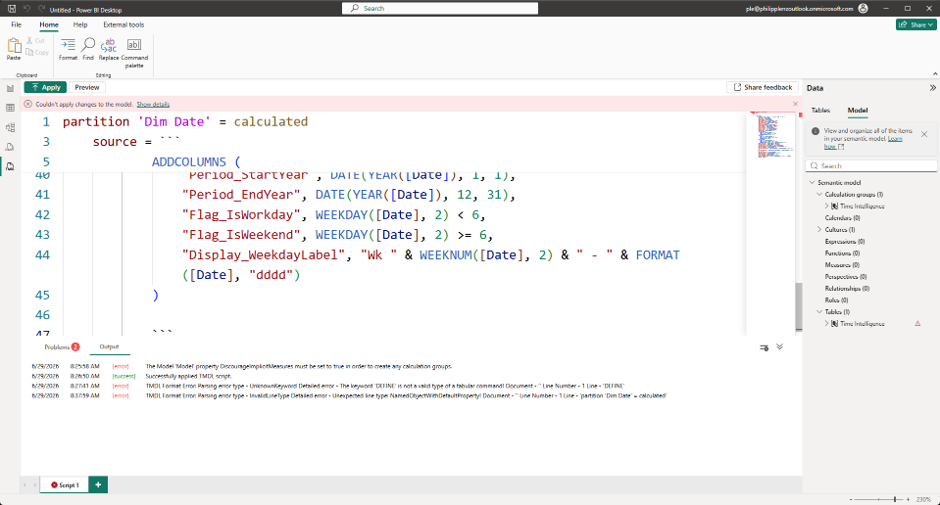
The Calculation Group used here is the same one presented in my previous article:
Of course, this model can contain many additional reusable components, for example:
- Date dimensions
- Product dimensions
- Organizational hierarchies
- Cost center dimensions
- Country or regional dimensions
- Calculation Groups
- Shared measures
Once completed, the model is published to a centrally managed Power BI workspace.
Required Permissions
To consume the model, report developers only require:
- Read permissions on the workspace
- Build permission on the semantic model
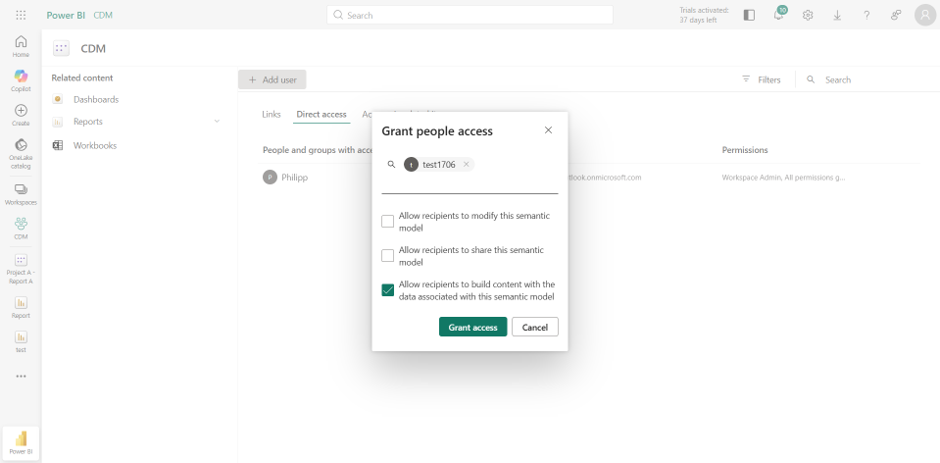
I also recommend assigning an Endorsement (Promoted or Certified) to the semantic model. This makes it much easier for developers to find and immediately identify it as an approved corporate model.
Using the Model in a Report
Next, I opened Power BI Desktop using a different user account.
In this report, only the fact data is imported.
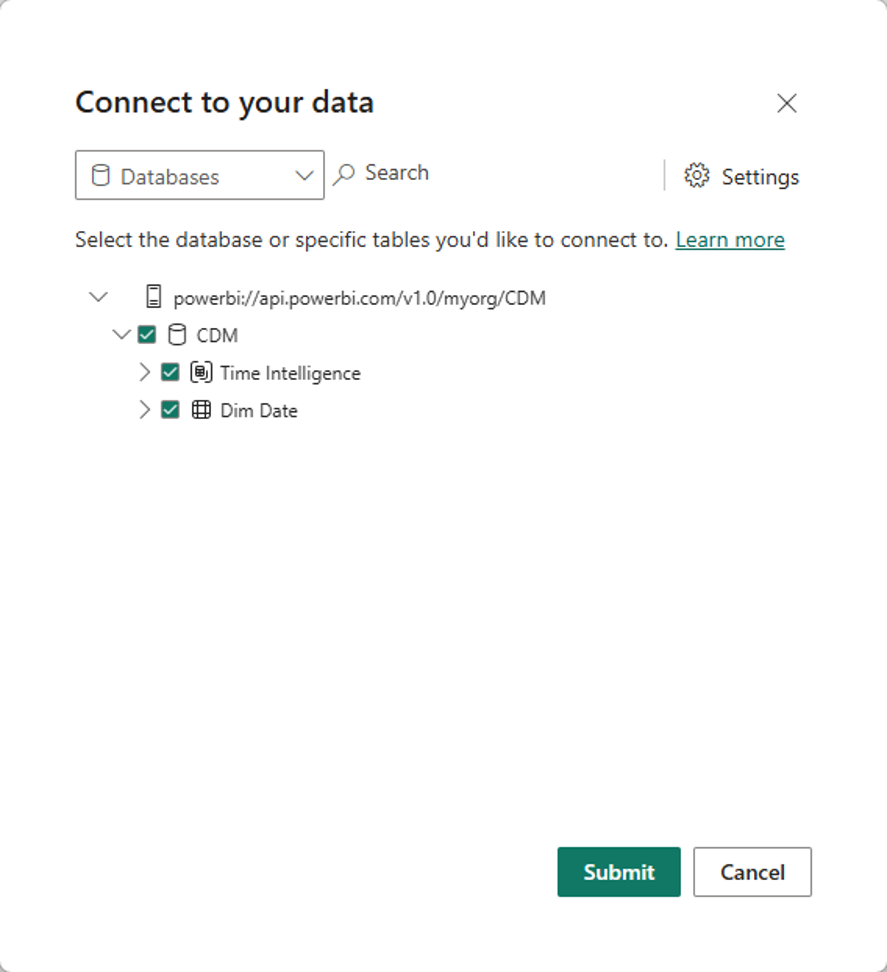
The shared objects are then connected by selecting Power BI semantic model.
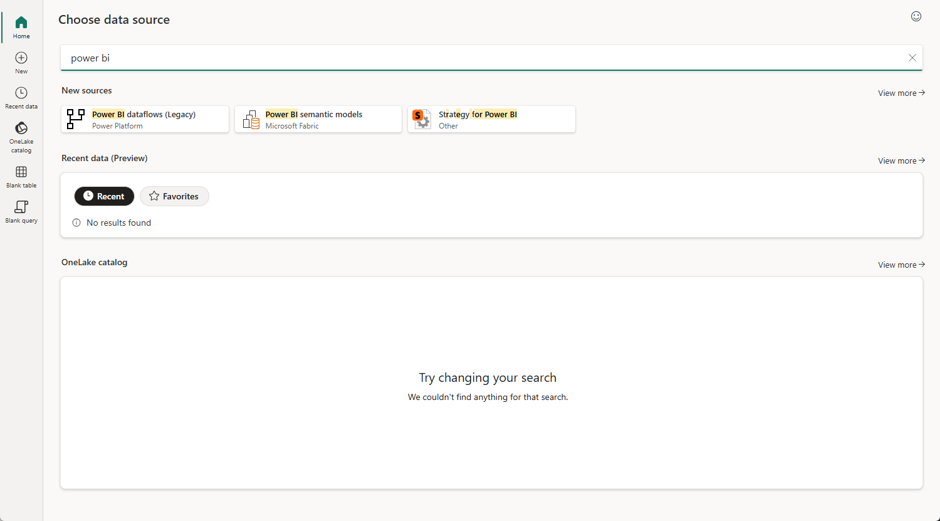
After selecting the previously published semantic model…
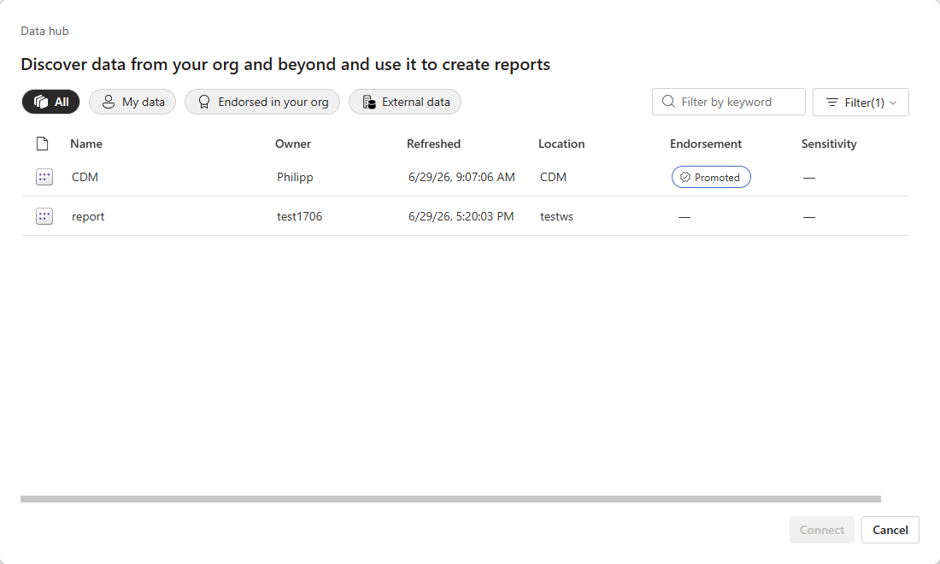
…the required tables can simply be added to the report.
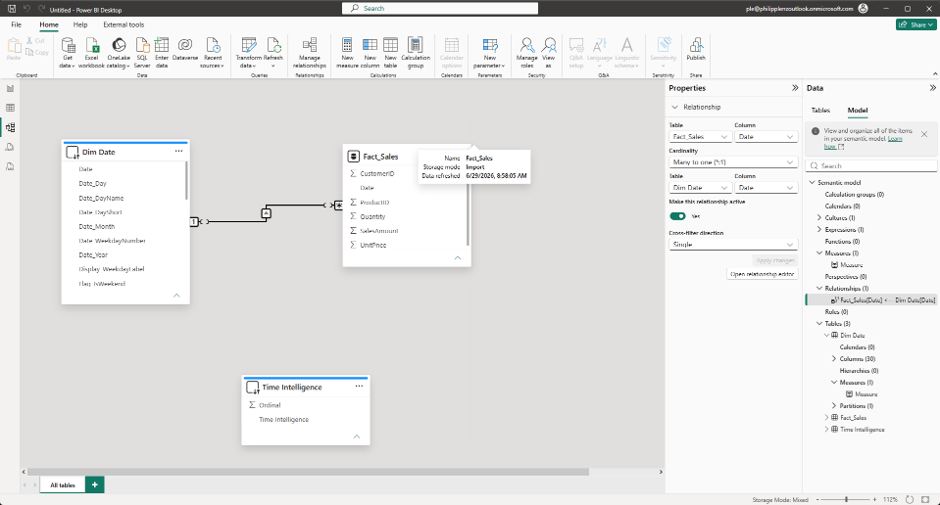
the Model view, Power BI automatically highlights objects that originate from an external semantic model.
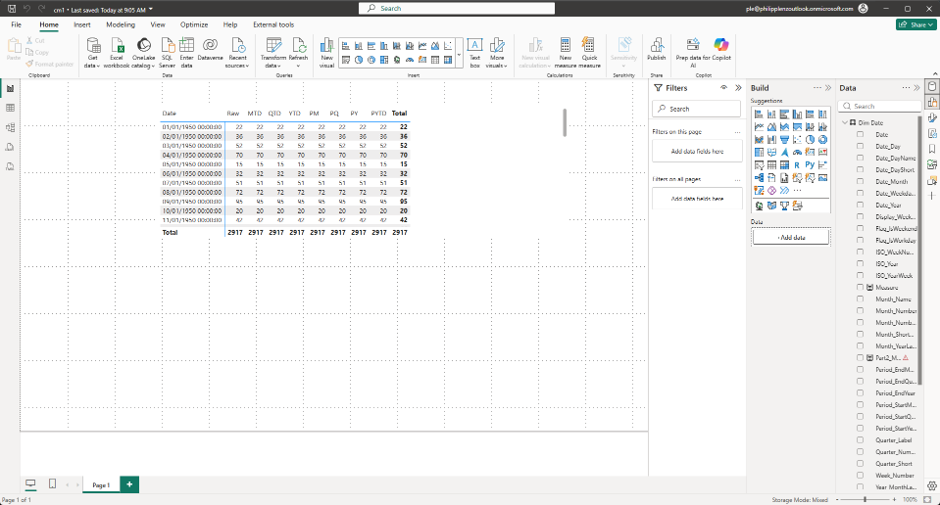
After creating a measure based on the fact table, it can immediately be used together with the centrally managed Calculation Group.
Naturally, this requires a relationship between the fact table and the shared Date dimension.
Benefits of a Helper Model
Using a centralized semantic model offers several advantages:
- Centralized maintenance of shared dimensions
- Reusable Calculation Groups
- Reduced duplication of business logic
- Lower maintenance effort
- Consistent calculations across reports
- Standardized semantic models throughout the organization
- Reduced load on data sources because shared dimensions only need to be refreshed once
- Translations, display names, descriptions, and other model metadata only need to be maintained once and are automatically available to all connected reports.
In larger Power BI environments, this approach can significantly simplify both development and long-term maintenance.
Current Limitations
At the time of writing, there are still a few limitations.
For example, DAX User Defined Functions (UDFs) cannot currently be shared through a centralized semantic model.
The same applies to measures or calculations that expose information such as the last data refresh timestamp. These calculations always belong to the semantic model in which they were created and therefore cannot be provided centrally.
Hopefully, Microsoft will remove these limitations in the future and allow even more reusable functionality to be delivered through centralized semantic models.
Conclusion
Composite Models provide an excellent way to build reusable semantic components for an entire Power BI environment.
Shared Date dimensions, Calculation Groups, translations, and other commonly used semantic objects can be maintained in a single location and reused across multiple reports. This reduces maintenance effort, ensures consistent calculations, simplifies multilingual deployments, and makes report development much easier—especially for developers with limited modeling experience.
For larger Power BI implementations, I consider this one of the cleanest and most maintainable approaches for providing reusable semantic components across an organization.